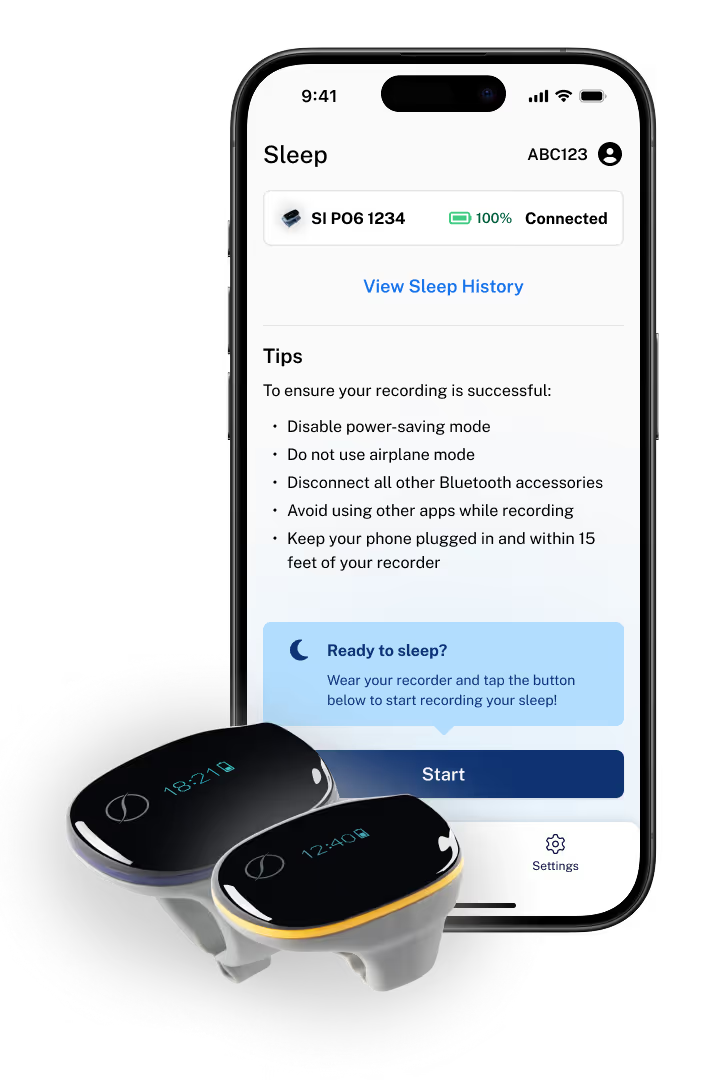
Sleep Analysis Ring Setup

Refer the instructions below to complete your sleep analysis.
Quick Start Guide
1

Getting Started

We will issue you a SleepImage-compatible recorder. Consult the relevant Quick Start Guide above on how to conduct an overnight sleep test. We can answer any questions you have about the process.
2

Look for Your Patient ID

You will receive an email with your Patient ID, which may come from SleepImage or directly from us. You will use this ID to register your account with us.
3

Download the SleepImage App

Download the SleepImage App onto your mobile device simply by scanning the QR code or clicking one of the app store buttons.
4

Get Set Up in the App

You’ll start by registering for a SleepImage patient account, which enables you to save app preferences and retain study history. You’ll then pair your recorder. Make sure your device is fully charged before starting a study.
5

Complete a Study

Wear your recorder and start your study from the Sleep tab in the app. Once you’re awake, stop your study in the same place and remove your recorder. Your study will automatically upload for us to review.
6

Getting Your Results

We will review your results with you and explain what they mean for your airway health and overall health. If any areas for improvement are found, we’ll work with you to develop a personalized plan to help you achieve better sleep.
Getting Started - Airway Health
1

Getting Started

Your provider will issue you an Airway Health-compatible recorder. Consult the relevant Quick Start Guide below on how to conduct an overnight sleep test. Your provider may answer any questions you have about the process.

2

Look for Your Patient ID

You will receive an email with your Patient ID, which may come from Airway Health or directly from your provider. You will use this ID to register your account with your provider.

3

Download the Airway Health App

Download the Airway Health App onto your mobile device simply by scanning a QR code or clicking one of the app store buttons on the right.

4

Get Set Up in the App

You'll start by registering for an Airway Health patient account, which enables you to save app preferences and retain study history. You'll then pair your recorder. Make sure your device is fully charged before starting a study.

5

Complete a Study

Wear your recorder and start your study from the Sleep tab in the app. Once you're awake, stop your study in the same place and remove your recorder. Your study will automatically upload for your provider to review.

6

Getting Your Results

Your healthcare provider will review your results with you and explain what they mean for your overall health. If any areas for improvement are found, they'll work with you to develop a personalized plan to help you achieve better sleep.
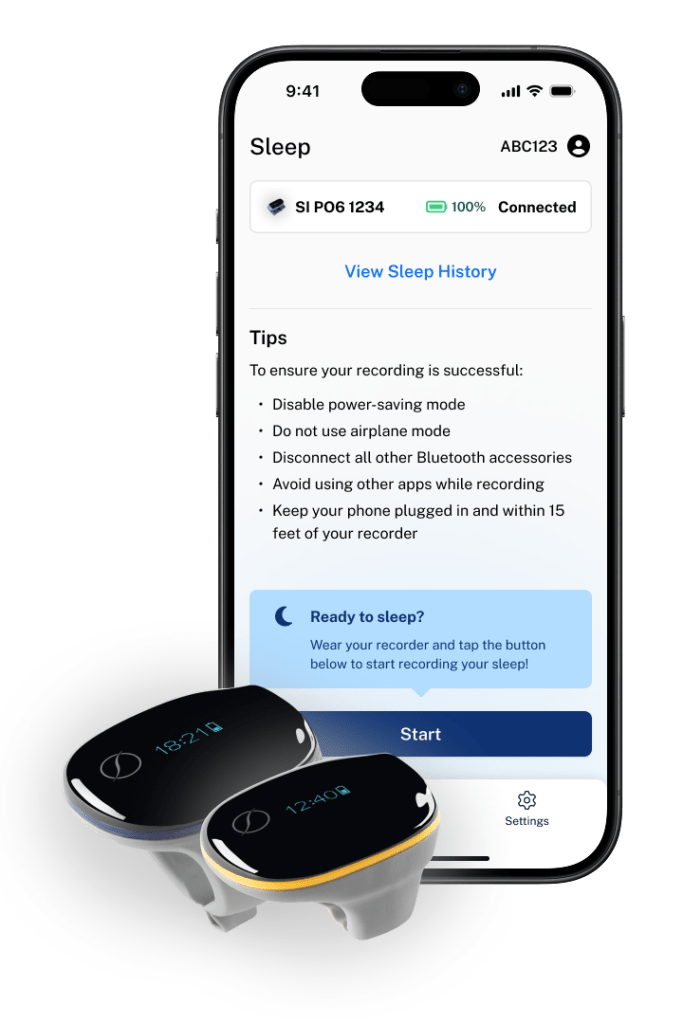

Airway Health app on mobile device with sleep recorder
App Store QR Code
Download on the App Store
Google Play QR Code
GET IT ON Google Play